Shrink the file,
not the message.
PinchDeck intelligently compresses the videos, images, and fonts inside your presentations by up to 90% – right on your device.
No uploads, no cloud, no compromises.
PinchDeck is a desktop app. Send yourself a link to download it when you're at your computer.
Available for macOS| Windows

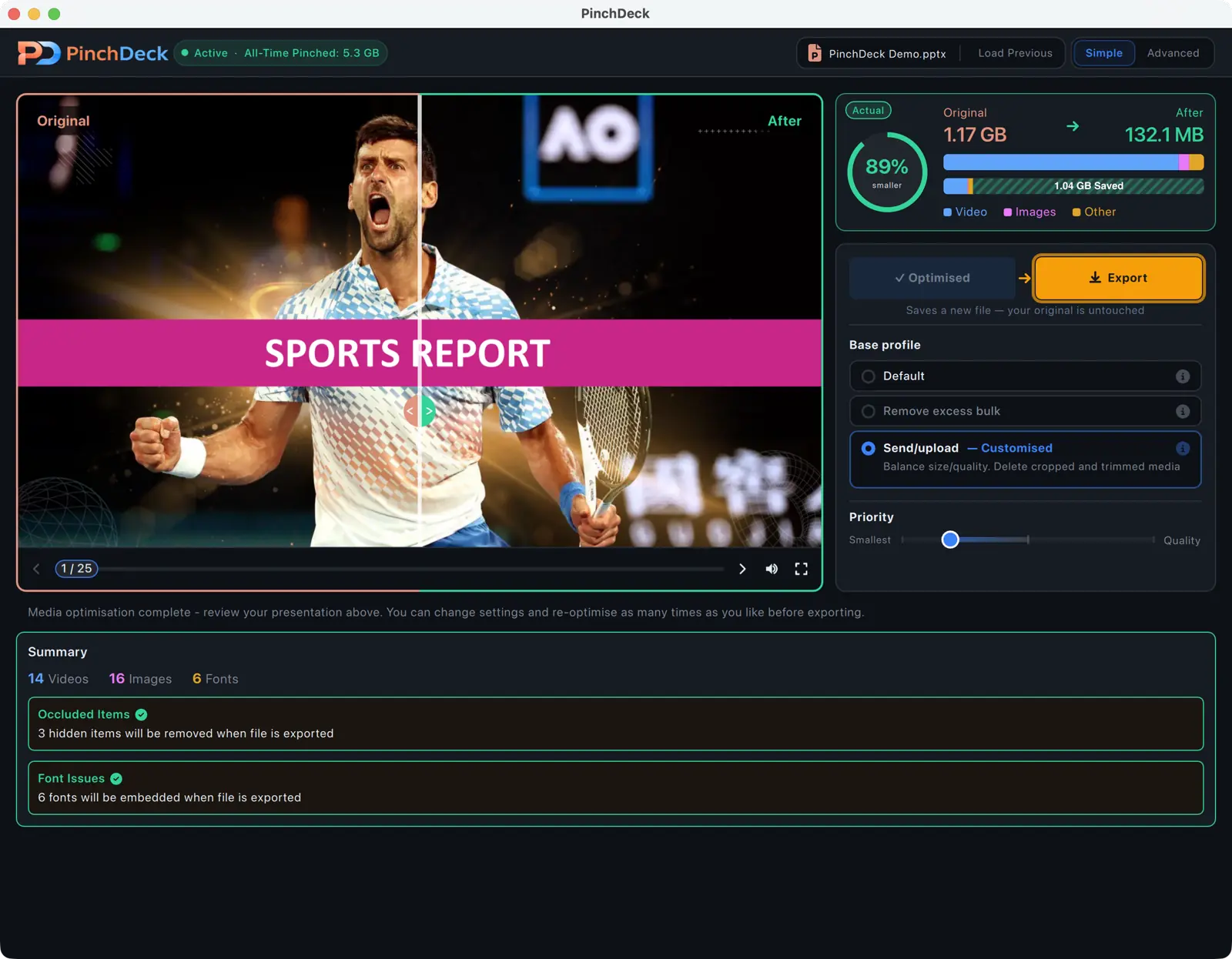
Optimize without compromise
Everything you need to ship lighter decks, faster.
Compress PowerPoint files by up to 90%
Optimize videos, images, and fonts without degrading how your slides look.
See the results before you save
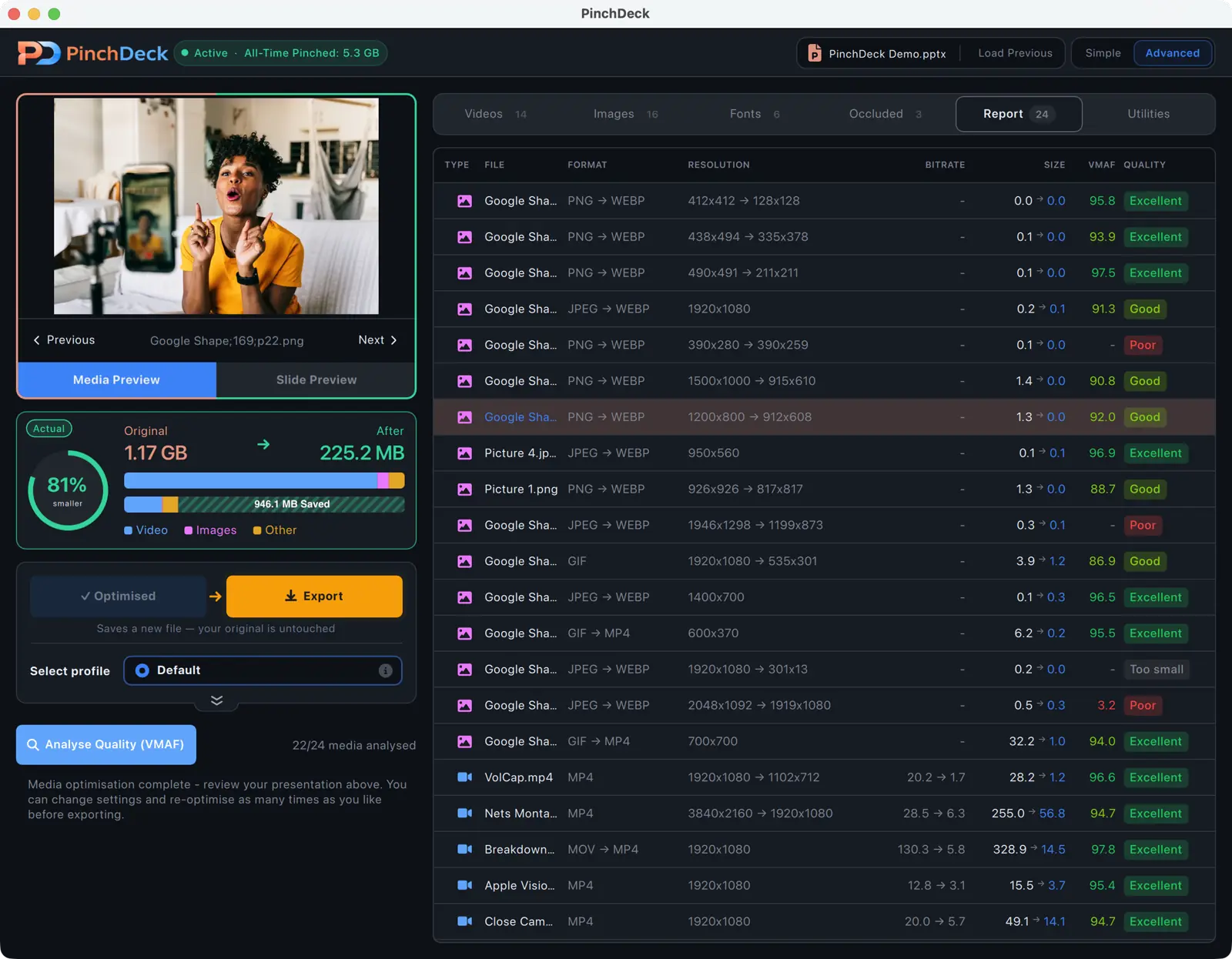
Use the split-screen comparison to verify quality before exporting. Your original file stays untouched.
Remove what PowerPoint hides
Delete cropped areas, trimmed video segments, and hidden media that PowerPoint still stores in full.
Runs on your computer
No uploads. No cloud. No file size limit.
Your files never leave your device.
Tailored pinching
Every asset is optimized individually, so important visuals stay sharp

Fix missing fonts automatically
Embed and resolve fonts so your presentation looks exactly the same on every device.
Power tools for power users
PowerPoint professional? PinchDeck has some advanced features just for you.
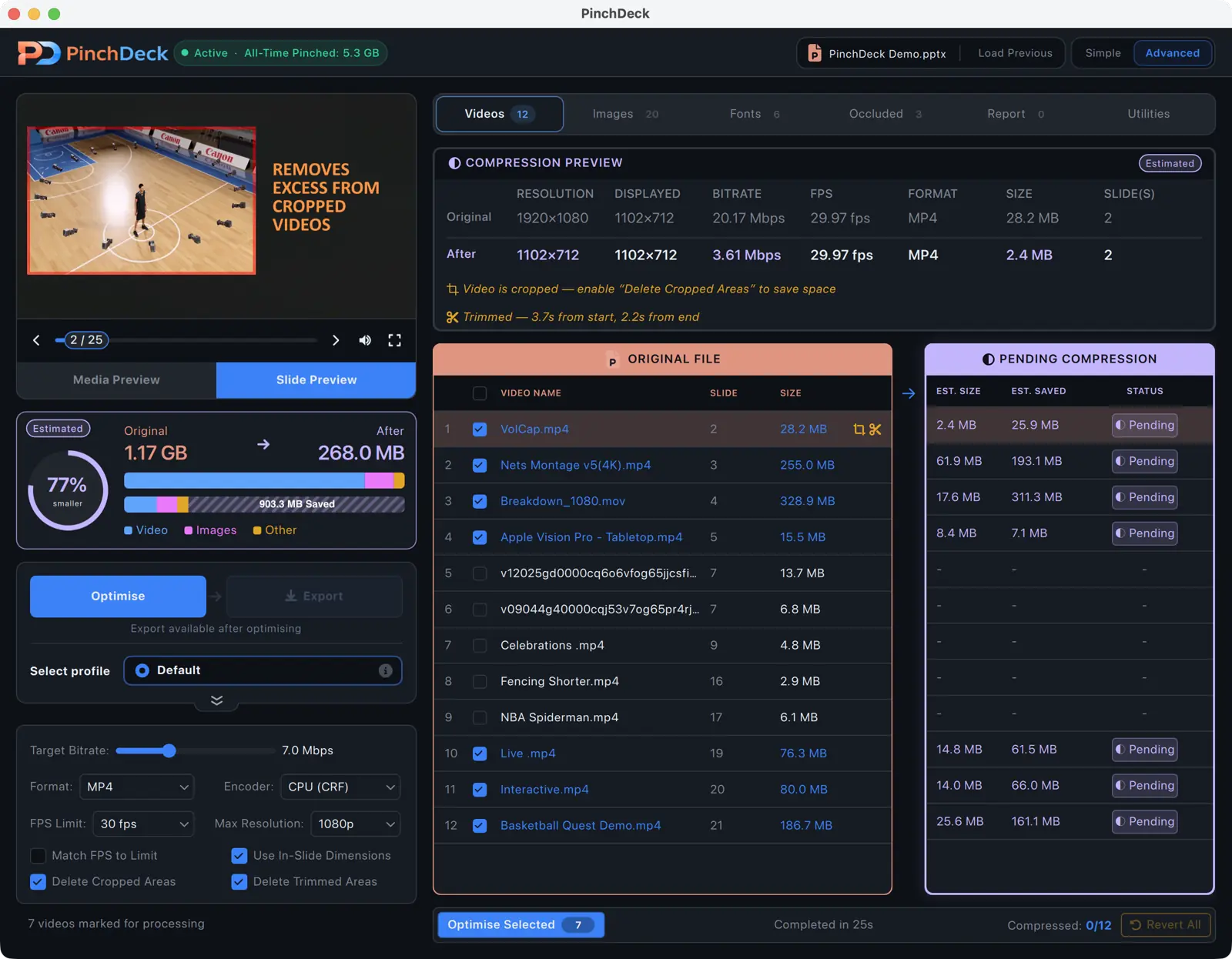

Individual Control
Want to max out your hero video but save on the rest? Encode, review, revert and re-encode each asset until it's perfect.
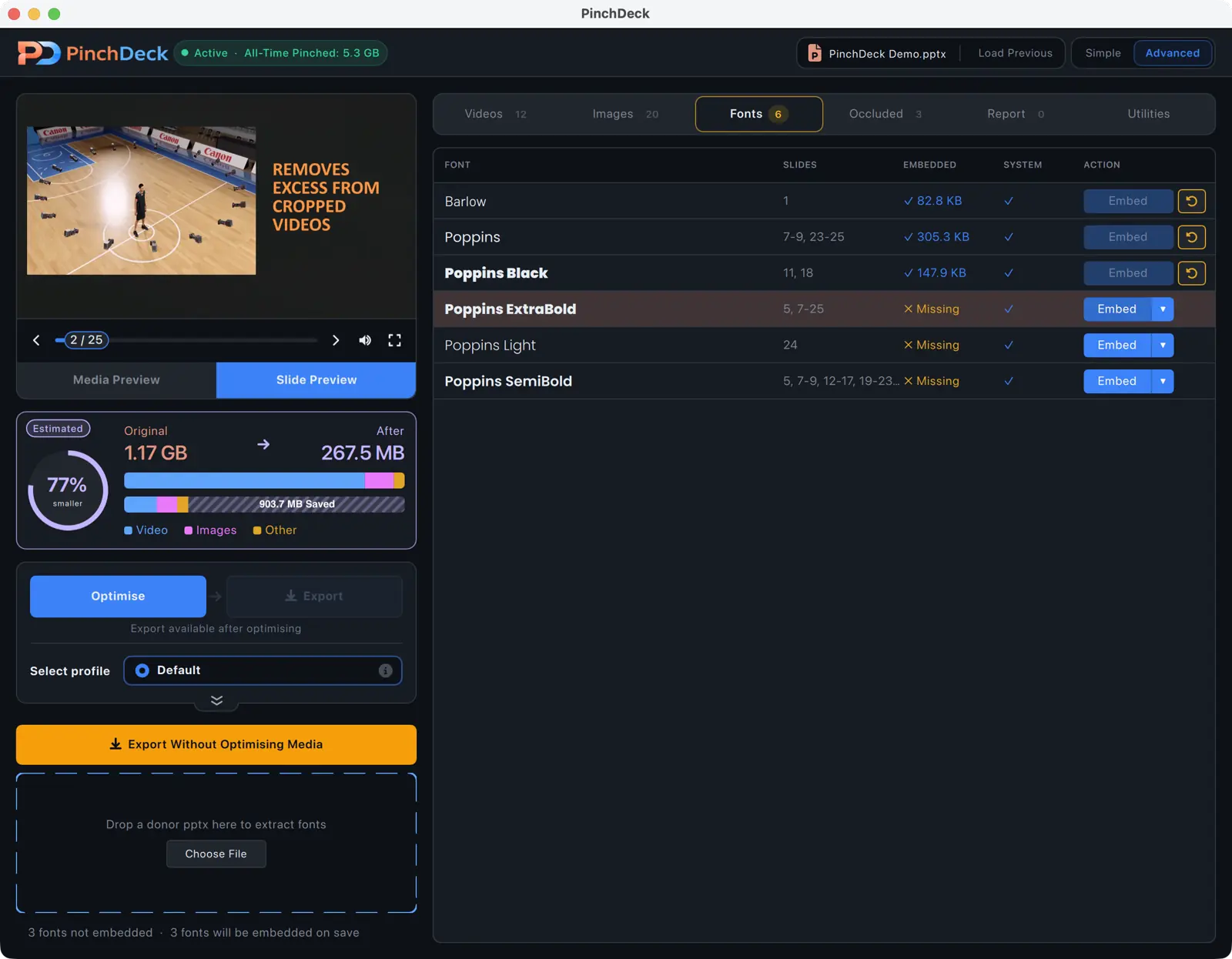
Font Borrowing
Missing a font? Borrow it directly from another PPTX file – no need to install anything.
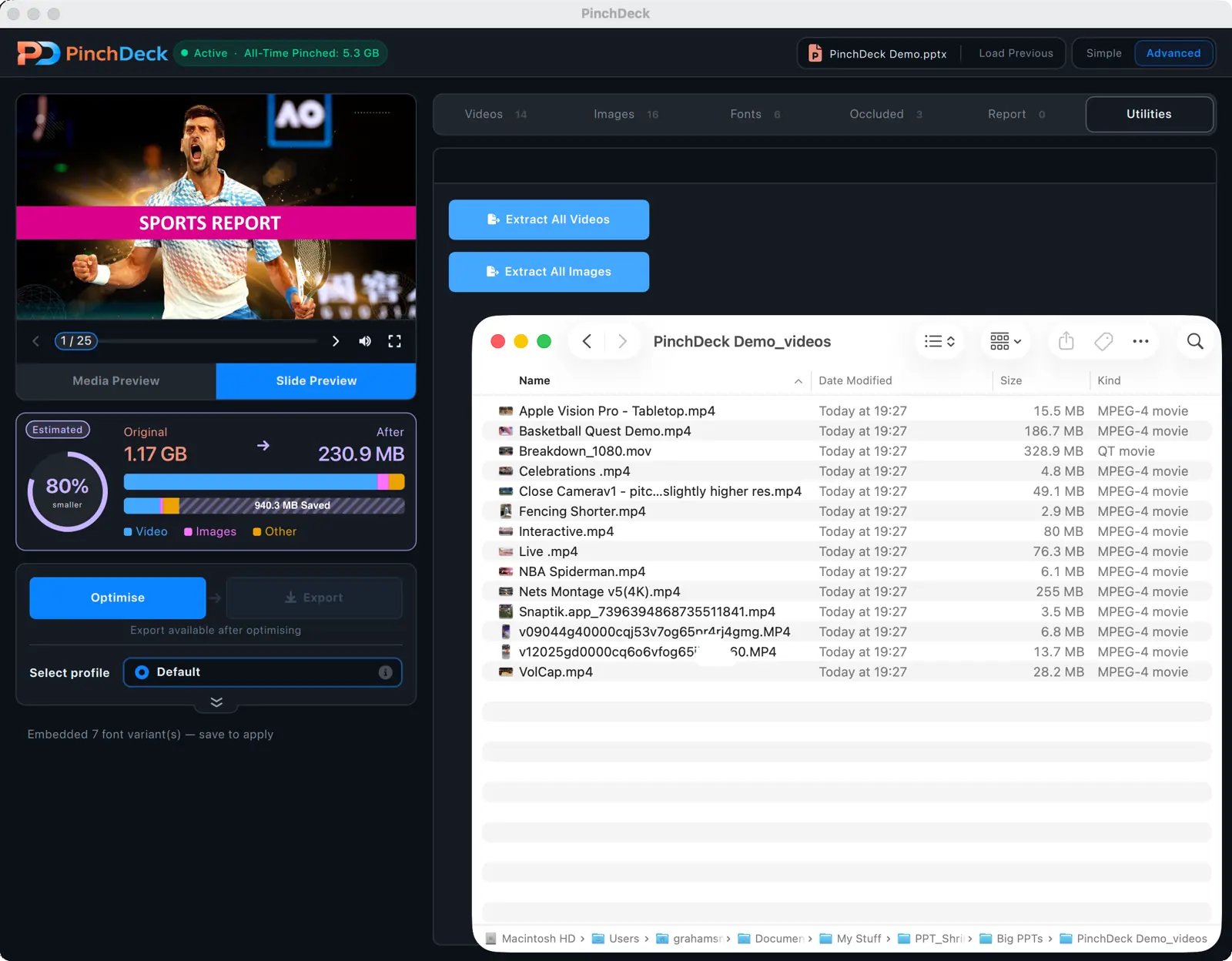
Bulk Media Export
Extract every image and video from a deck into a folder with a single click.
VMAF Quality Reports
Prove conversion quality with VMAF – the visual fidelity metric developed by Netflix.
More than a PowerPoint compressor
Simple, fair pricing
Try free, upgrade when you're ready. No hidden fees.
Prices shown excl. tax
Free
Limited exports per device. No account needed.
- Video & image compression
- All compression features
- Limited exports
Yearly
Unlimited exports. Cancel anytime.
- Everything in Free
- Unlimited exports
- Use on up to 3 devices
Pay once, use forever
Pay once, use forever. All future updates included.
- Everything in Yearly
- Lifetime access on your machine
- Activate on up to 3 devices
Ready to shrink your decks?
PinchDeck is a desktop app. Send yourself a link to download it when you're at your computer.
Get the download link
We'll email you links for Mac and Windows.
We've sent download links to your email.
Frequently asked questions
Absolutely. PinchDeck is a desktop app – your PowerPoint files never leave your computer. Unlike online PPT compressors, nothing is uploaded to our servers, no third party sees your slides, and there's no file size limit. Your files stay yours.
PinchDeck compresses .pptx PowerPoint files (the modern format used by PowerPoint 2007 and later). It shrinks the videos, images, and fonts embedded inside your slides while keeping the .pptx fully compatible with Microsoft PowerPoint, Keynote, and Google Slides.
No. Because PinchDeck runs on your computer instead of in the cloud, there's no upload size cap. Compress 50 MB decks or 5 GB decks – same workflow.
Yes. PinchDeck runs natively on macOS 12 (Monterey) and later, and on Windows 10 and later – including ARM64 builds for Snapdragon and Surface Pro X. Same features, same license works on both.
Online tools have file size limits, require uploading your slides, and only compress images. PinchDeck runs on your computer, has no size limit, and goes deeper – it compresses videos, embeds missing fonts, removes hidden cropped data, and verifies quality with side-by-side comparison. Your files never leave your device.
The free tier gives you a limited number of exports per device with no account or payment required. All compression features are available – the only limit is the number of files you can export. Upgrade to a paid plan for unlimited exports.
Yes! Each license key can be activated on up to 3 devices. Sign out on one device to free up a slot for another. All your devices get unlimited exports with a paid plan.
The installer is the recommended option – it adds shortcuts, automatic updates, and faster launch times. The Portable version runs straight from a folder with no install needed, handy when IT policies restrict what you can install.
Payments are processed by Paddle, our merchant of record. They support credit/debit cards, PayPal, Apple Pay, Google Pay, and many local payment methods depending on your region.
You can cancel your yearly subscription anytime through the subscription management portal in the app – you'll keep access until the end of your billing period. If you're unsatisfied, we offer a full refund within 14 days of purchase, no questions asked.